

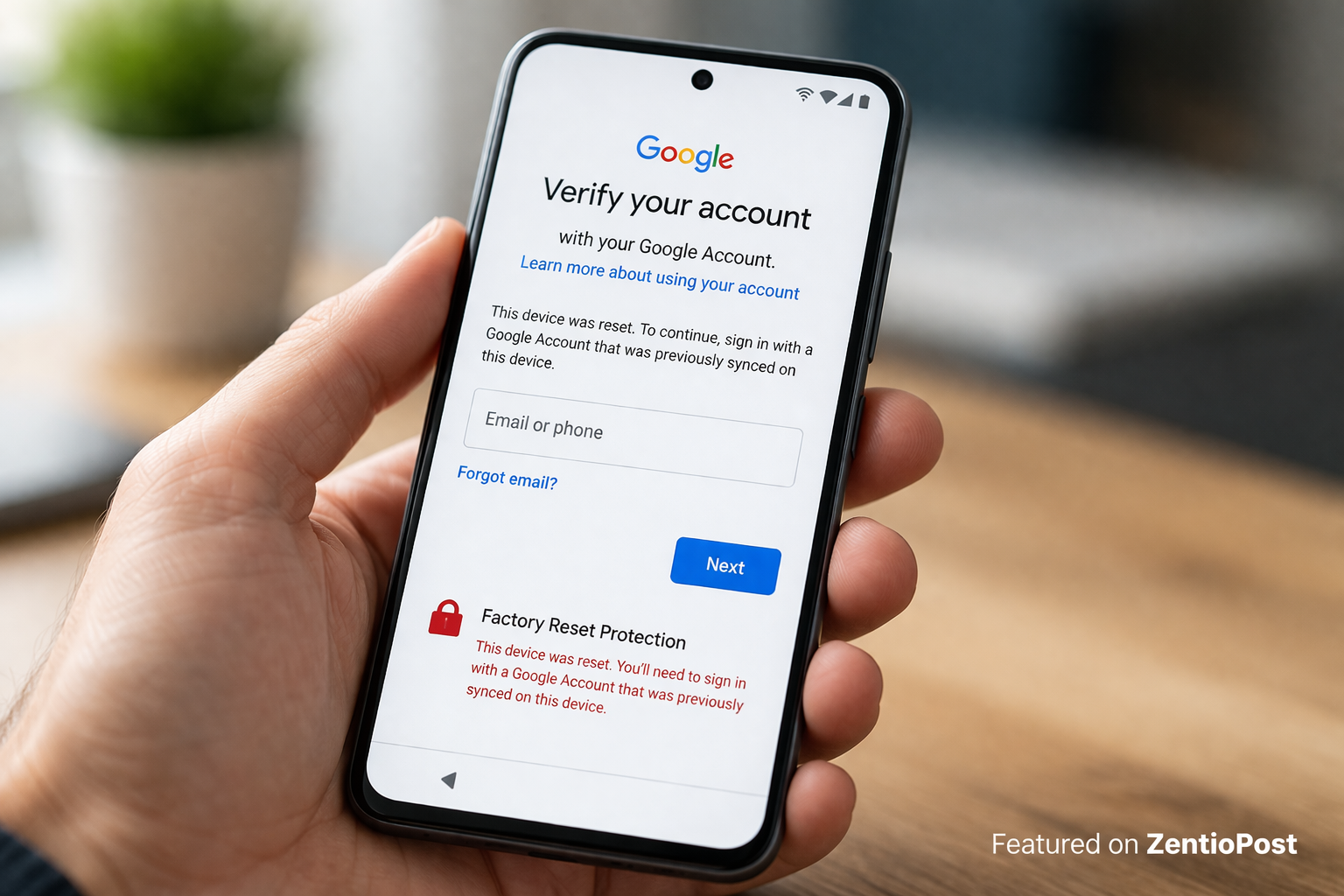
If you’ve ever reset an Android phone and suddenly been asked to verify a Google account you don’t remember, you’ve already run into something called FRP.
It can feel confusing at first. You reset your phone, expecting a clean start, but instead, you’re locked out.
That’s where the term FRP bypass usually comes into the picture. People search for it when they’re stuck, trying to figure out how to get back into their own device.
Let’s break this down properly, in a way that actually makes sense.
What Is FRP (Factory Reset Protection)?
FRP stands for Factory Reset Protection.
It’s a security feature built into Android devices (especially newer versions) to protect your phone from unauthorized access after a reset.
Here’s the idea behind it:
- If someone steals your phone and resets it
- They still won’t be able to use it without your Google account
- The device stays locked to the original owner
So even after a factory reset, the phone asks for:
- The previously synced Google account
- The correct password
Without that, access is restricted.
What Does FRP Bypass Mean?
FRP bypass simply refers to regaining access to a device when you can’t pass the FRP lock.
Now, this is important.
There are legitimate situations where people search for this:
- You forgot your Google account details
- You bought a used phone that’s still locked
- You reset your own device, but can’t log back in
- The previous owner didn’t remove their account
In these cases, people look for ways to recover access.
But it’s also a sensitive topic because FRP exists for security reasons.
Why FRP Exists in the First Place
Before trying to understand bypass methods, it helps to understand why FRP exists.
It’s not there to annoy you. It’s there to protect you.
1. Anti-Theft Protection
FRP makes stolen phones less useful. Even after a reset, they stay locked.
2. Data Security
It prevents unauthorized users from accessing personal data or setting up the phone as new.
3. Account Ownership Verification
It ensures that only the original account owner can reactivate the device.
In simple terms, FRP adds an extra layer of safety.
How FRP Gets Triggered
Not every reset triggers FRP. It usually happens under specific conditions.
FRP is activated when:
- A Google account is added to the device
- The device is factory reset without removing the account first
For example:
- You go into recovery mode and reset the phone
- Or you reset it without signing out of Google
After reboot, the phone asks for the previous account.
Common Situations Where People Face FRP Lock
Let’s look at real-life scenarios where this happens.
Forgot Google Account Credentials
This is the most common one. You reset your phone, but you don’t remember the email or password.
Buying a Second-Hand Phone
You get a used device, but the previous owner didn’t remove their account.
Long Inactive Accounts
If you haven’t used your Google account in a while, you might struggle to log back in.
Multiple Accounts Confusion
Some users have multiple Gmail accounts and don’t remember which one was used.
Safe and Legal Ways to Solve FRP Lock
Here’s where things get important.
Instead of trying random tricks or risky tools, focus on legitimate solutions.
1. Recover Your Google Account
This should always be your first step.
- Use Google’s account recovery page.
- Try old passwords
- Verify using phone number or backup email
If you regain access, the problem is solved instantly.
2. Contact the Previous Owner
If you bought a used phone:
- Ask the seller to remove their account remotely
- Or log in once to unlock the device
This is often the easiest fix.
3. Use Official Service Centers
Authorized service centers can help verify ownership and unlock devices legally.
You may need:
- Purchase receipt
- Device IMEI
- Identity verification
4. Manufacturer Support
Brands like Samsung, Xiaomi, and others offer support channels where you can request help.
Risks of Unofficial FRP Bypass Methods
You’ll find a lot of “FRP bypass tools” online.
But here’s the reality.
Many of them come with serious risks:
- Malware or spyware
- Data theft
- Permanent device damage
- Voiding warranty
- Legal issues
Some methods might work temporarily, but they’re often unreliable and unsafe.
It’s not worth risking your device or your data.
Tips to Avoid FRP Lock in the Future
Once you understand FRP, it’s actually easy to avoid getting stuck again.
Before Resetting Your Phone:
- Remove your Google account
- Sign out of device settings
- Backup important data
Keep Your Account Info Safe:
- Use a password manager
- Save recovery email and phone number
- Enable two-factor authentication
When Buying Used Devices:
- Always check if the phone is unlocked
- Ask the seller to reset it in front of you
- Verify the setup before leaving
How Android Security Is Evolving
FRP is just one part of a bigger picture.
Modern smartphones now include:
- Biometric security (fingerprint, face unlock)
- Encrypted storage
- Secure boot systems
- Remote device tracking
All of these work together to protect users.
And while it may feel frustrating sometimes, it’s ultimately a good thing.
Is FRP a Problem or a Protection?
It depends on how you look at it.
If you’re locked out, it feels like a problem.
But in reality, it’s doing exactly what it was designed to do.
It prevents unauthorized access.
That same system that’s blocking you would also protect your phone if it were stolen.
FAQ About FRP Bypass
What is FRP bypass?
FRP bypass refers to regaining access to an Android device that is locked by Factory Reset Protection after a reset.
Is FRP bypass legal?
It depends on the situation. Regaining access to your own device is fine, but bypassing security on stolen devices is illegal.
Can I remove FRP without a Google account?
The safest way is to recover your Google account. Other unofficial methods can be risky and unreliable.
Why is my phone asking for an old Google account?
Because FRP was triggered after a reset without removing the previously synced account.
Can a service center remove the FRP lock?
Yes, authorized service centers can help after verifying ownership.
How do I avoid FRP lock in the future?
Always remove your Google account before resetting your device, and keep your login details محفوظ (safe).
Final Thoughts
FRP is one of those things you don’t think about until it stops you in your tracks.
But once you understand how it works, it actually makes a lot of sense.
It’s there to protect your device, your data, and your identity.
If you ever get stuck, the best approach is simple. Stay calm, avoid risky shortcuts, and focus on legitimate ways to recover access.
Because in the long run, security always matters more than quick fixes.
Also Read: ZENTIOPOST
