

Let me be honest, I didn’t wake up one day thinking, “Wow, I really need to hide my IP address today.” Like most people, I stumbled into the world of privacy tools after one of those slightly uncomfortable internet moments. You know the kind: too many ads following you around, websites acting like they know you personally, and suddenly your browsing starts to feel less… private.
That’s when I came across hidingme.com.
At first glance, it looked like just another online proxy or privacy tool. But after spending some time with it (and comparing it with other options), I realized it’s actually one of those simple-but-useful tools that quietly solves a real problem without needing a computer science degree to understand it.
In this article, I’m going to walk you through what HidingMe.com is, how it works, when it’s actually useful (and when it’s not), and some practical tips from my own experience using it. No jargon overload, no robotic explanations, just a real-world, blogger-style breakdown.
What IsHidingMe.comm (In Plain English)?
At its core, HidingMe.com is a web-based proxy service. That might sound technical, but here’s the simplest way to think about it:
👉 It acts like a middleman between you and the website you’re visiting.
Instead of your device directly connecting to a website, the request goes through HidingMe first. That means:
- Your IP address isn’t directly visible
- Your browsing activity gets a layer of privacy
- You can sometimes access restricted content
It’s kind of like sending someone to ask a question on your behalf instead of asking it yourself.
Why People Are Using Tools Like HidingMe.com
Let’s be real—privacy is becoming a big deal. Not in a dramatic “spy movie” way, but in a subtle, everyday sense.
Here are some common reasons people turn to tools like HidingMe.com:
1. Avoiding Tracking Overload
Ever searched for something once and then saw ads for it everywhere? Yeah… same.
Proxy tools help reduce that tracking footprint, at least to some extent.
2. Accessing Restricted Content
Sometimes a website is blocked in your region, school, or workplace network. HidingMe can help bypass basic restrictions.
3. Casual Privacy Protection
Not everyone wants a full VPN setup. Sometimes you just want a quick, no-install solution, and that’s where HidingMe shines.
4. Testing Websites or Content
Developers and bloggers sometimes use proxy tools to see how websites behave from different locations or IPs.
My Experience Using HidingMe.com
I’ll keep this honest and practical.
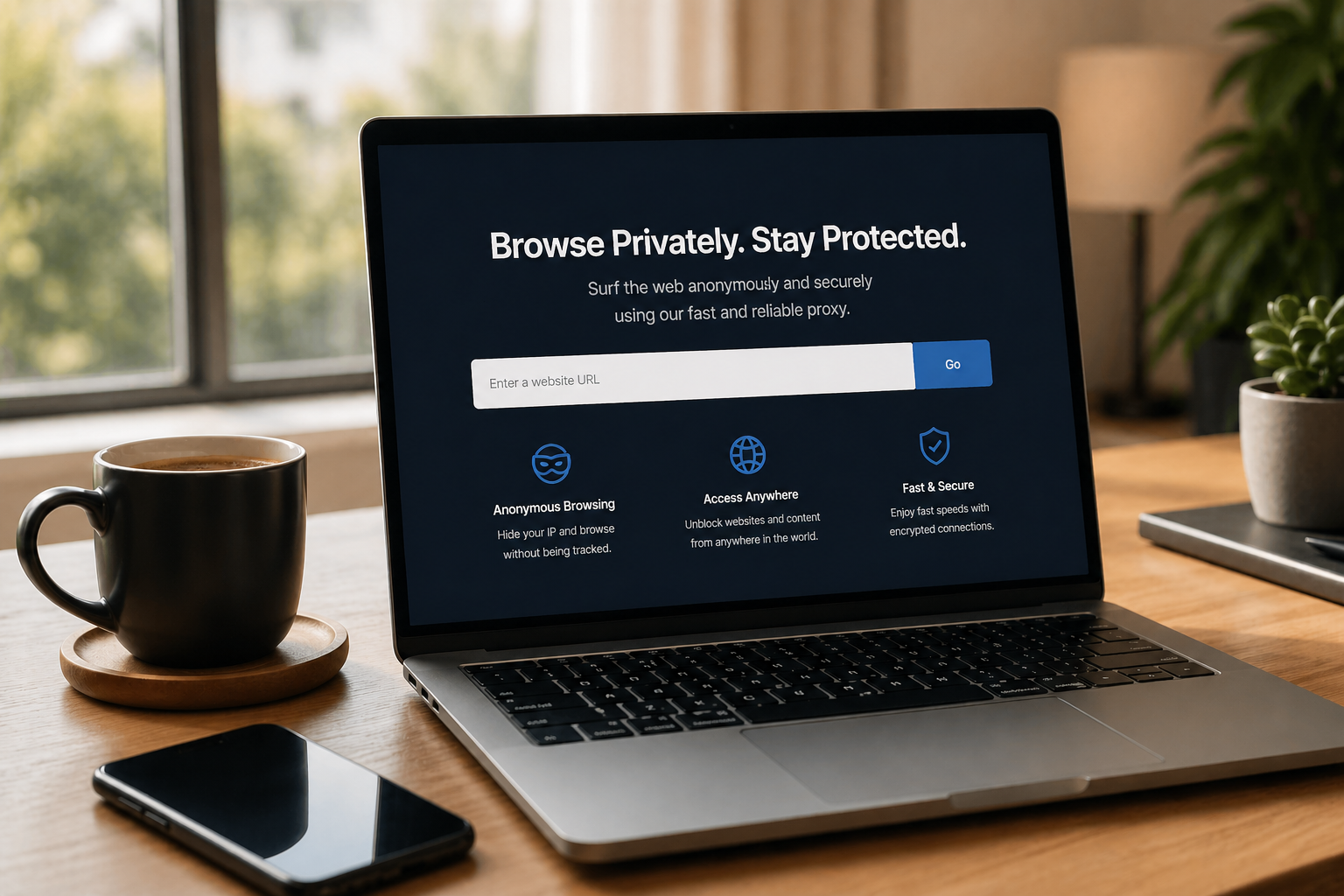
The first time I used HidingMe.com, I was expecting something complicated. Instead, I got:
- A simple interface
- A URL bar
- A “go” button
That’s it.
No sign-up. No long setup process. No “download this and configure that.”
What I Liked Immediately
- It worked instantly
- No installation required
- Clean, distraction-free interface
What Felt Slightly Limited
- Not as fast as direct browsing
- Some websites didn’t load perfectly
- Not a full replacement for a VPN
But honestly? That’s expected. It’s a browser-based proxy, not a full privacy suite.
Key Features of HidingMe.com
Let’s break down what you actually get when using hidingme.com.
1. Web Proxy Access
This is the main feature. You enter a URL, and it loads through their servers.
2. No Account Required
You don’t need to sign up or create a profile. That’s a big plus for casual users.
3. Lightweight and Fast Setup
No downloads, no extensions—just open the site and go.
4. Basic Privacy Layer
It hides your IP from the destination site, adding a level of anonymity.
5. Accessibility Across Devices
You can use it on:
- Desktop
- Laptop
- Mobile browsers
HidingMe com vs VPN: What’s the Difference?
This is where people often get confused.
Let’s clear it up.
Hidingme com (Proxy)
- Works in your browser
- No installation
- Good for quick tasks
- Limited encryption
VPN (Virtual Private Network)
- Covers all internet traffic
- Requires installation
- Strong encryption
- Better for full privacy
👉 Think of HidingMe as a quick umbrella in light rain, while a VPN is a full raincoat.
Both are useful, but for different situations.
When You Should Use Hidingme com
Here are some realistic scenarios where hiding me actually makes sense:
✔ Quick Private Browsing
You don’t want to leave traces on a shared computer.
✔ Bypassing Basic Restrictions
School or office blocked a site? This might help.
✔ Checking Website Access
Want to see if your site loads differently through another IP.
✔ Casual Privacy
You’re not doing anything sensitive; you just want a bit more privacy.
When You Should NOT Rely on It
Let’s keep things balanced.
HidingMe.com is not perfect for everything.
❌ Banking or Sensitive Logins
Avoid logging into important accounts through proxies.
❌ Full Security Needs
If you need strong encryption, go for a VPN.
❌ Heavy Streaming or Downloads
It’s not designed for high-bandwidth activities.
Tips to Get the Most Out of HidingMe.com
After using it for a while, here are some simple tips:
1. Keep Expectations Realistic
It’s a quick tool, not a full privacy solution.
2. Use It for Light Tasks
Browsing, reading, an esting are not heavy workloads.
3. Combine with Safe Habits
Even with a proxy:
- Avoid suspicious sites
- Don’t share personal info
- Use strong passwords
4. Try Multiple Attempts
If a site doesn’t load, refresh, or try again, it happens.
The Simplicity Factor: Why It Stands Out
There are tons of privacy tools online. Some are powerful but also confusing.
What I genuinely like about hidingme.com is this:
👉 It doesn’t try to overwhelm you.
No dashboards filled with settings. No technical jargon thrown at your face.
Just:
- Enter URL
- Click
- Browse
Sometimes, simple wins.
A Bit of Reality: Is It Completely Anonymous?
Short answer: No tool is 100% anonymous.
Longer answer:
- HidingMe adds a layer of privacy
- But it’s not bulletproof anonymity
If you’re looking for extreme privacy (journalism, activism, etc.), you’ll need more advanced tools.
But for everyday use? It’s perfectly fine.
SEO Perspective: Why “Hidingme com” Is Trending
If you’ve noticed more searches for terms like:
- “Hiding me with a proxy.”
- “free web proxy hidingme”
- “private browsing tools online”
You’re not imagining things.
People are:
- More aware of privacy
- Looking for quick solutions
- Avoiding complicated software
That’s exactly where hidingme com fits in.
Final Thoughts: Is HidingMe.com Worth Using?
Here’s my honest take:
👉 Yes but for the right reasons.
If you expect it to replace a VPN, you’ll be disappointed.
If you use it as a quick, simple privacy tool, you’ll probably love it.
It’s one of those tools that doesn’t try to do everything, but does one thing well.
And sometimes, that’s exactly what you need.
FAQs About HidingMe.com
1. Is HidingMe.com free to use?
Yes, the basic web proxy functionality is free and doesn’t require registration.
2. Is it safe to use?
It’s generally safe for casual browsing, but avoid entering sensitive information like passwords or banking details.
3. Does HidingMe.com hide my IP address?
Yes, it masks your IP from the website you’re visiting.
4. Can I use it on mobile?
Absolutely. It works directly in mobile browsers without installation.
5. Is it better than a VPN?
Not exactly, it’s simpler but less powerful. A VPN offers stronger privacy and encryption.
6. Why is the browsing sometimes slower?
Because your request goes through an extra server, which can slightly reduce speed.
